
'Trips you'll love' row
The second card row under the results, headed with trip ideas.
A Content rail in the Page entry's Sections list
What makes it this section
This is what places the rail in the trips row rather than the offers row.
What a visitor sees
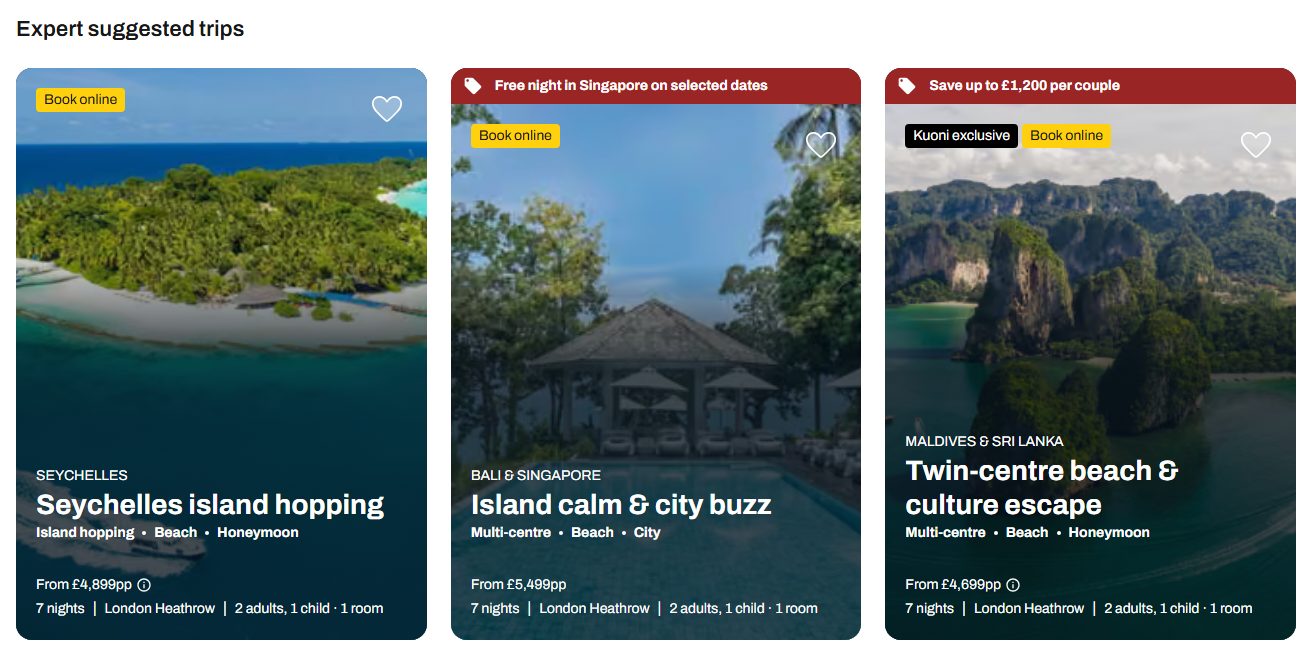
- 1
Heading — from the rail
- 2
The cards — from the search
What each field controls
The Field column is the label as it appears in Contentful; under it, the field's id, for talking to a developer. The number matches the marker on the screenshots above.
| # | Field | What it controls | Notes |
|---|---|---|---|
1 | Heading heading | The row's title. | Again the only thing the rail supplies here. |
Card source sourcerequired | Which of the two rows this rail is the heading for. | Set it to tripIdeas or trips for this row. A hand-curated rail authored as manual is placed by the cards inside it instead — trip cards land here, hotel cards in the offers row. | |
Heading level / Heading style / Heading colour headingLevel / headingVariant / headingColor | The row title's importance for search engines, its size, and its colour. | — | |
2 | The cards — | Nothing you can set here. | They come from the search, as in the offers row above. |
How to change it, step by step
Open the search results Page entry
The Page entry whose Kind is "searchResults".
Add or open the second Content rail
Set its Card source to tripIdeas (or trips) and give it a heading.
Publish the rail and the Page entry
Both, in that order.