
The result cards
The hotel, trip-idea and destination cards themselves. Almost none of this is authored here — it is the live search over each product's own record.
Not authored on this page
Where the content really comes from
TravelBox, live at render, over each product's ePIM / Contentful record
What a visitor sees
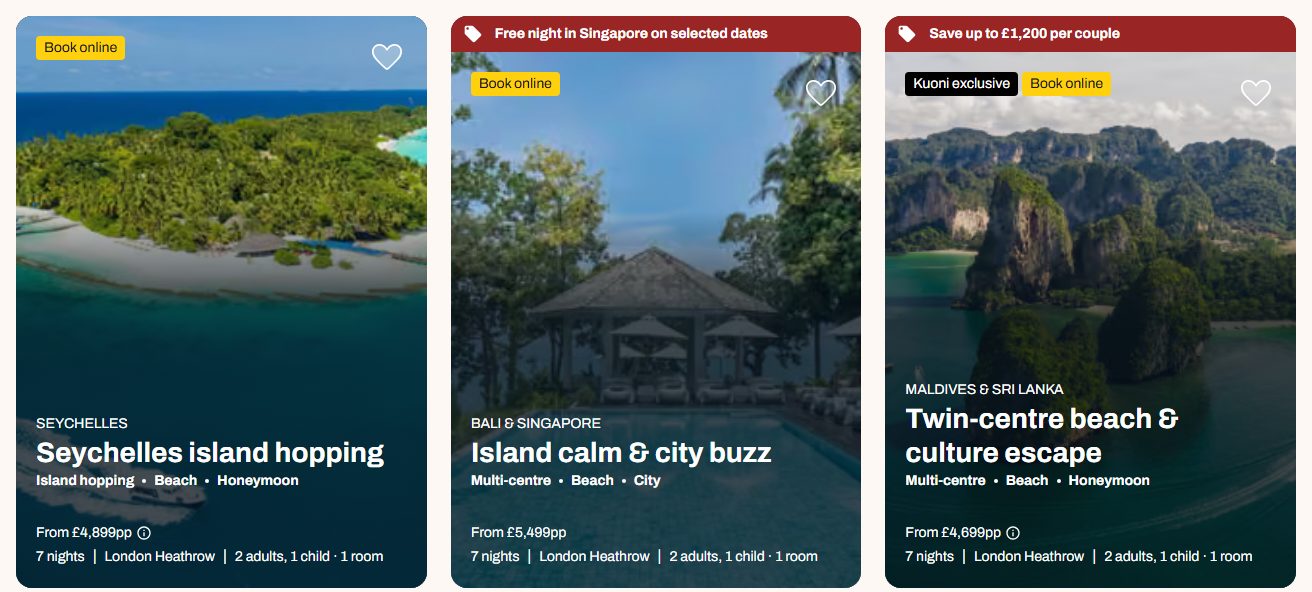
- 1
Badges — the hotel's PIM data
- 2
Offer strip — the reservation system
- 3
Name and destination — the product's record
- 4
Price — live at the moment of the search
What each field controls
The Field column is the label as it appears in Contentful; under it, the field's id, for talking to a developer. The number matches the marker on the screenshots above.
| # | Field | What it controls | Notes |
|---|---|---|---|
Nothing on the Page entry — | The cards are not authored on this page at all. | No field here changes a result card. What a card shows comes from the product's own record — the hotel's Accommodation entry, or the trip's Itinerary entry — and its price and availability from the live search. | |
1 | The badges — | Nothing you can set here. | Kuoni exclusive, Engage collection and Book online are decided by the hotel's PIM data. Their WORDING is authored, but on the hotel page — see the hotel detail guide's Hero section. |
2 | The offer strip — | Nothing you can set here. | The offer live on that product right now. |
3 | Name, destination and tags — | Nothing you can set here. | The product's own record — its Accommodation entry or its Itinerary entry, mostly synced from ePIM. |
4 | The price — | Nothing you can set. | Live at the moment the visitor searches, for the dates and party they asked for. |
Other entries this section needs
| Content type | Why you need it |
|---|---|
| Accommodation | A hotel card's name, photo, rating and location. Most of that record is synced from ePIM. |
| Itinerary | A trip-idea card's title, nights, photo and route. |
| Content card | A destination card, authored with Kind = "destination". |
How to change it, step by step
Work out which record you actually want
Find the card on the page, then edit that product's own entry — the Accommodation entry for a hotel, the Itinerary entry for a trip idea. Nothing on the search results Page entry changes a card.
Check whether the field is yours to edit
On an Accommodation entry most prose is synced from ePIM: edit it in Contentful and the next sync may overwrite you. The slug is the exception — it is generated on first import and yours afterwards, and import will not overwrite your edit.
Publish that record
Change status → Publish on the product entry.